Overview
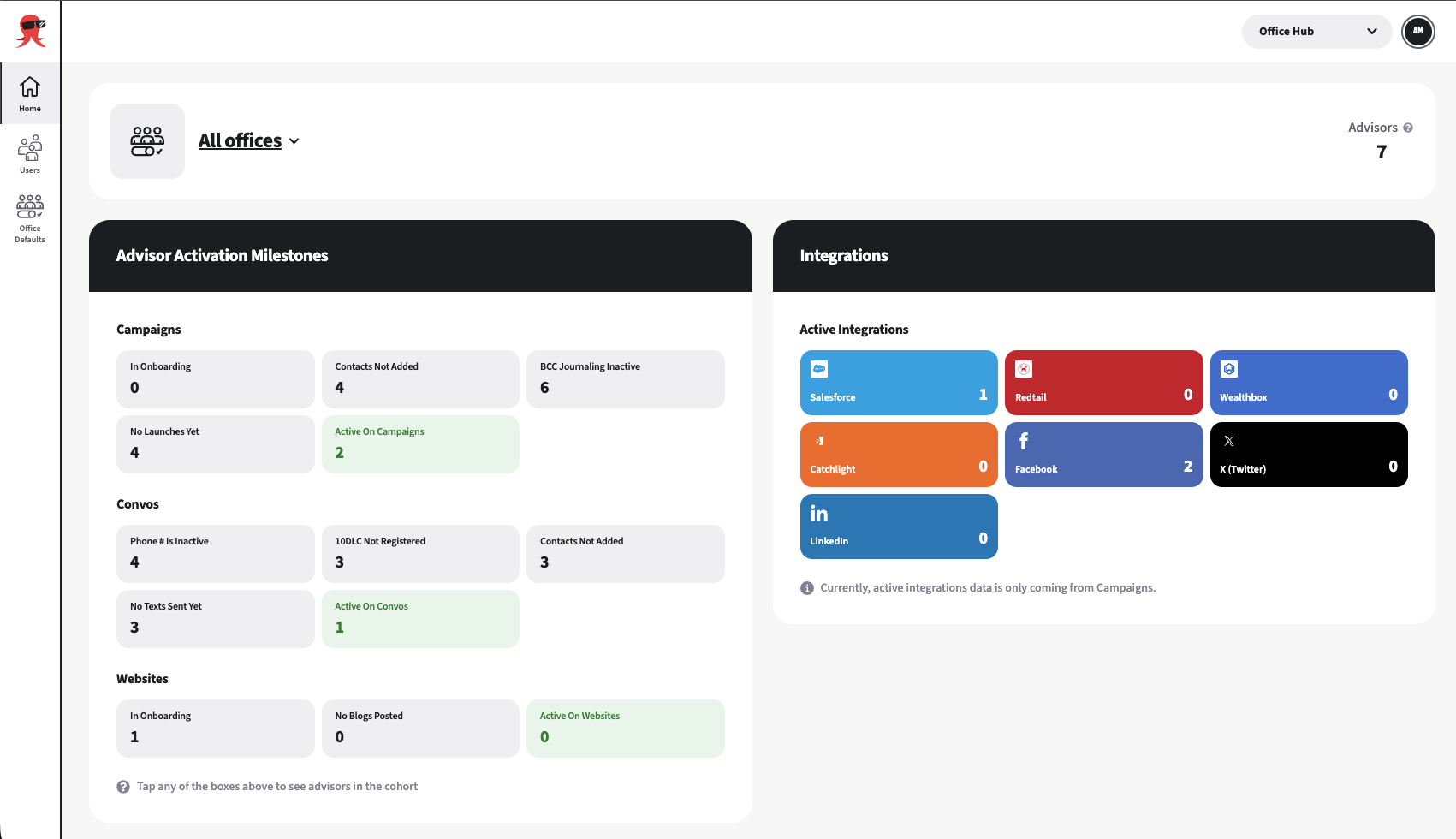
The Home page summarizes the offices where you have access. You can view all available offices together or select one office at a time. Office Administrators can view data for the advisors who are members of their assigned office.
Before you begin
- Confirm that you have an Advisor Marketing Administrator or Enterprise Support Administrator role.
- Confirm that Office Hub is enabled for your Enterprise and that your user has been granted access.
- Ensure you have been assigned as an Office Administrator for the office.
- Login to the Office Hub depending on your user role (Advisor Marketing Administrator | Enterprise Support Administrator)
Switch between offices
Open Home in Office Hub.
Use the office selector at the top of the page to switch offices.
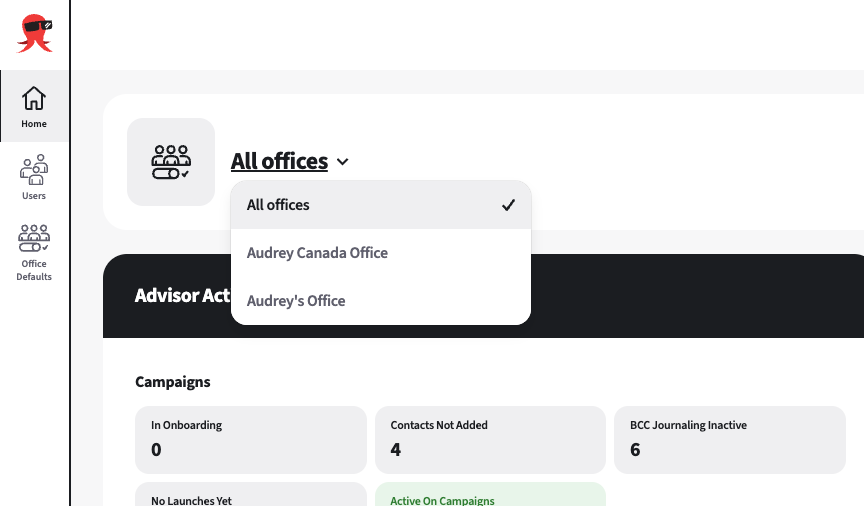
You can now review the selected office’s milestones, integrations, and advisor count.
What you’ll find on the Home dashboard
Advisor Count
The number of advisors you manage in the selected office with active Snappy subscriptions.

Advisor Activation Milestones
The Advisor Activation Milestones panel groups advisor activity under Campaigns, Convos, and Websites. Each tile shows how many advisors are in a certain state, such as In Onboarding, No Launches Yet, or Active On Campaigns.
Campaigns Status
- In onboarding: Number of advisors with who have not completed the onboarding wizard.
Contacts not added: Number of advisors with no contacts.
BCC journaling inactive: Number of advisors without BCC journaling enabled.
Snappy Kraken checks the advisor’s user-level setting. A setting enabled only at the enterprise or Broker-Dealer level does not count as active.No launches yet: Number of advisors who have not launched a campaign.
Active on Campaigns: Number of advisors who have launched at least one campaign.
Convos Status
Phone number inactive: Number of advisors with an inactive phone number.
10DLC not registered: Number of advisors who are not registered for 10DLC.
A phone number needs to be both active and 10DLC registered before an advisor can use it for texting.Contacts not added: Number of advisors with no contacts.
No texts sent yet: Number of advisors who have not sent a text.
Active on Convos: Number of advisors who have sent at least one text.
Website Status
- In onboarding: Number of advisors with at least one website that is not connected to a domain.
No blogs posted: Number of advisors with at least one website and no blog posts in Published or Approved status.
Active on Websites: Number of advisors with at least one website connected to a domain.
An advisor counted as Active on Websites is not counted as In onboarding for that website.
Reviewing Milestones
You can select any tile to open a drawer listing the advisors behind that count. Search by advisor name, firm, or email address.
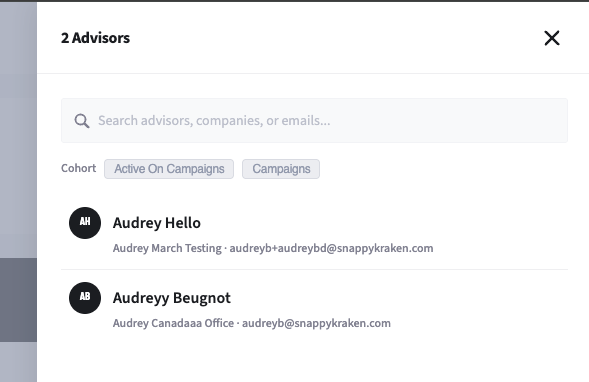
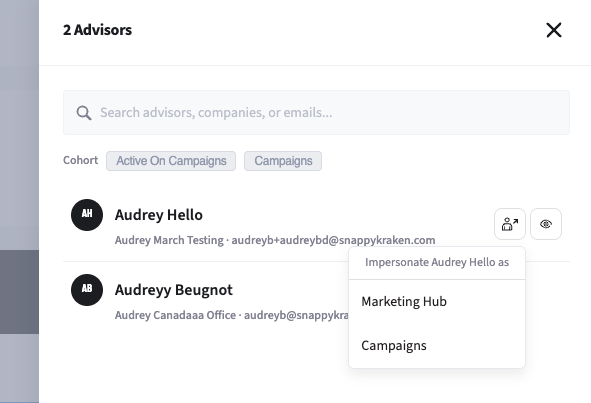
From a row, select the Impersonate icon to impersonate that advisor, or the eye icon to open the advisor detail page.
Integrations
The Integrations panel shows how many advisors have connected accounts for one or more of these services: Salesforce, Redtail, Wealthbox, Catchlight, Facebook, X/Twitter, and LinkedIn.