
Understanding Office Administrators
Office Administrator is a separate office-level permission for Advisor Marketing Administrators. It is not granted automatically when someone manages an advisor, joins an office, accepts an invitation, or is added through a CSV import.
An office can have more than one Office Administrator.
Only Advisor Marketing Administrators can be named Office Administrators. Office Administrators are added or removed by an authorized administrator in the Brain or through the CSV import process.
Access Office Defaults
Office Defaults are visible only to an Advisor Marketing Administrator who is an Office Administrator for at least one office.
Open Office Defaults.
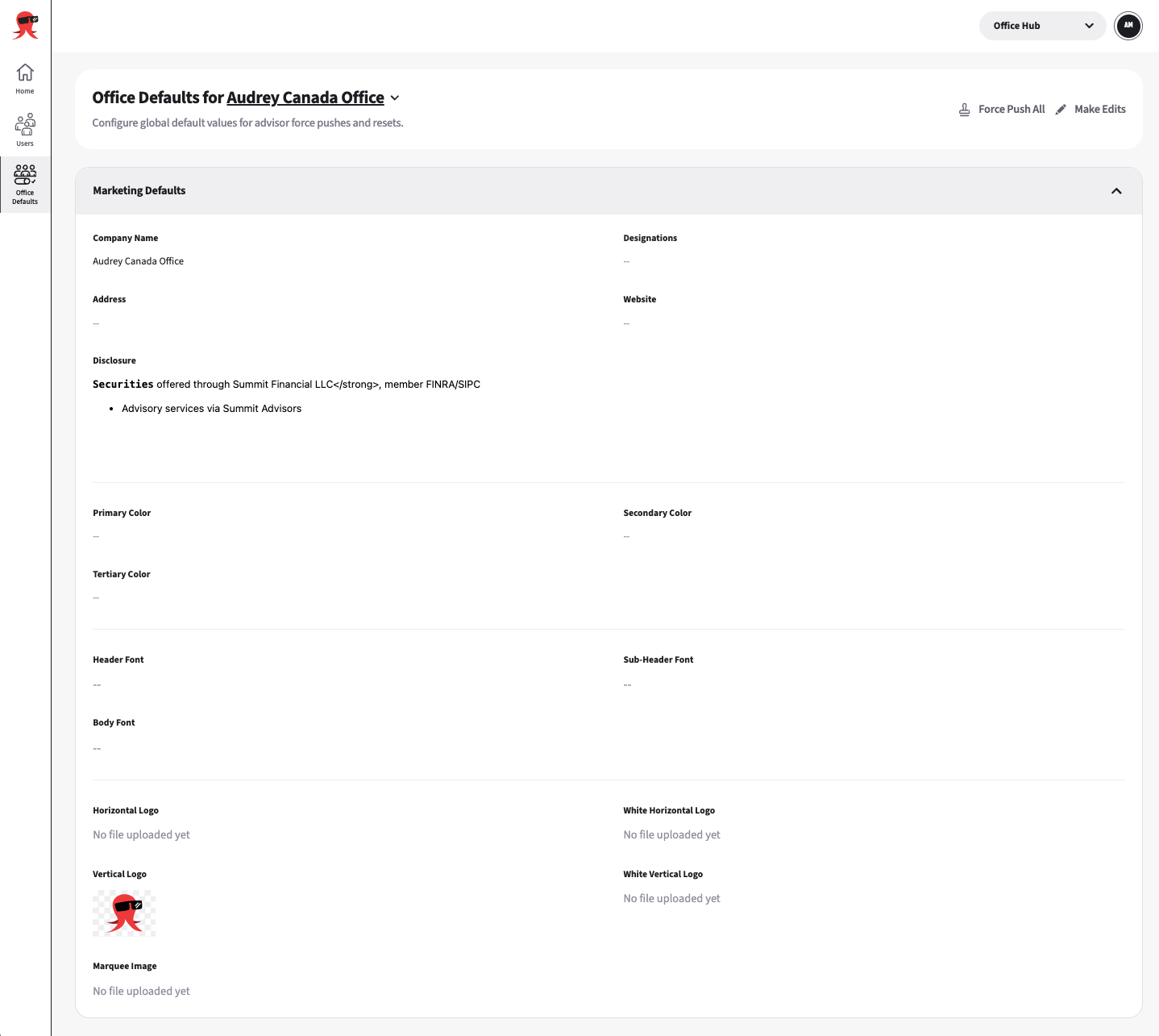
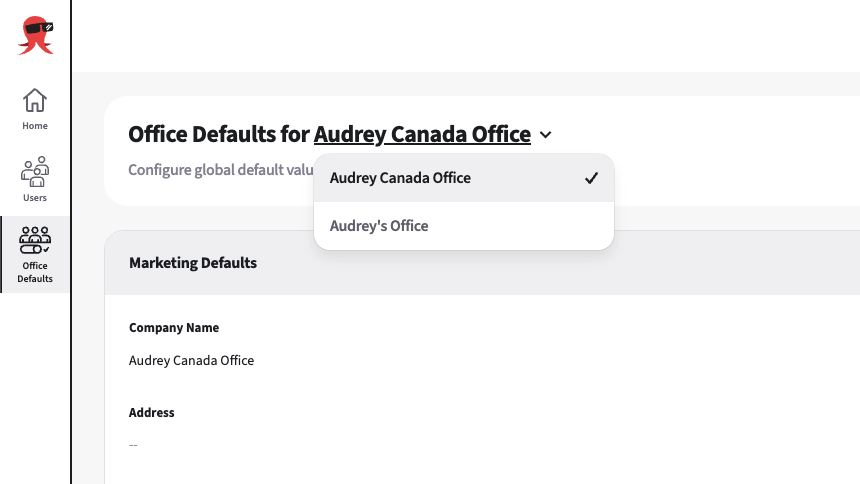
Select an office you want to access.
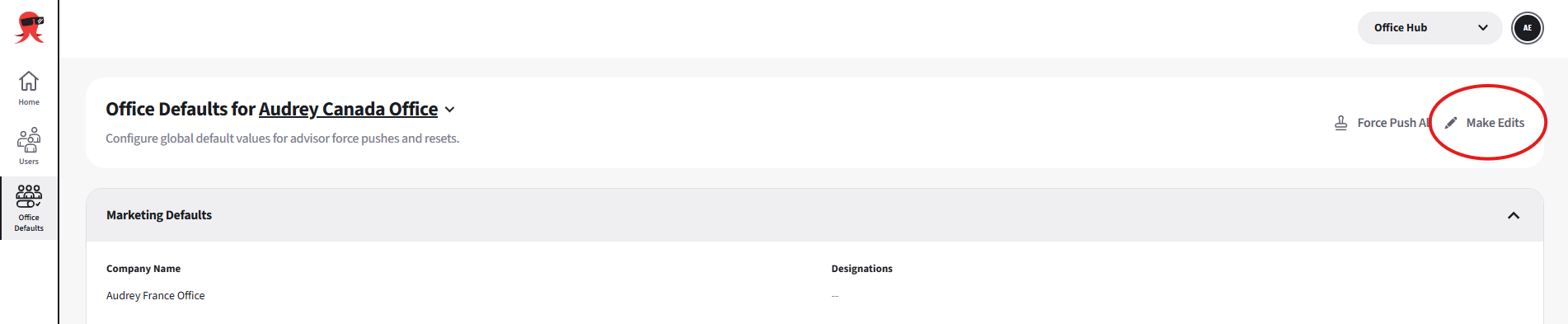
Click Make Edits to update the shared branding and profile fields.
Select Save Changes.
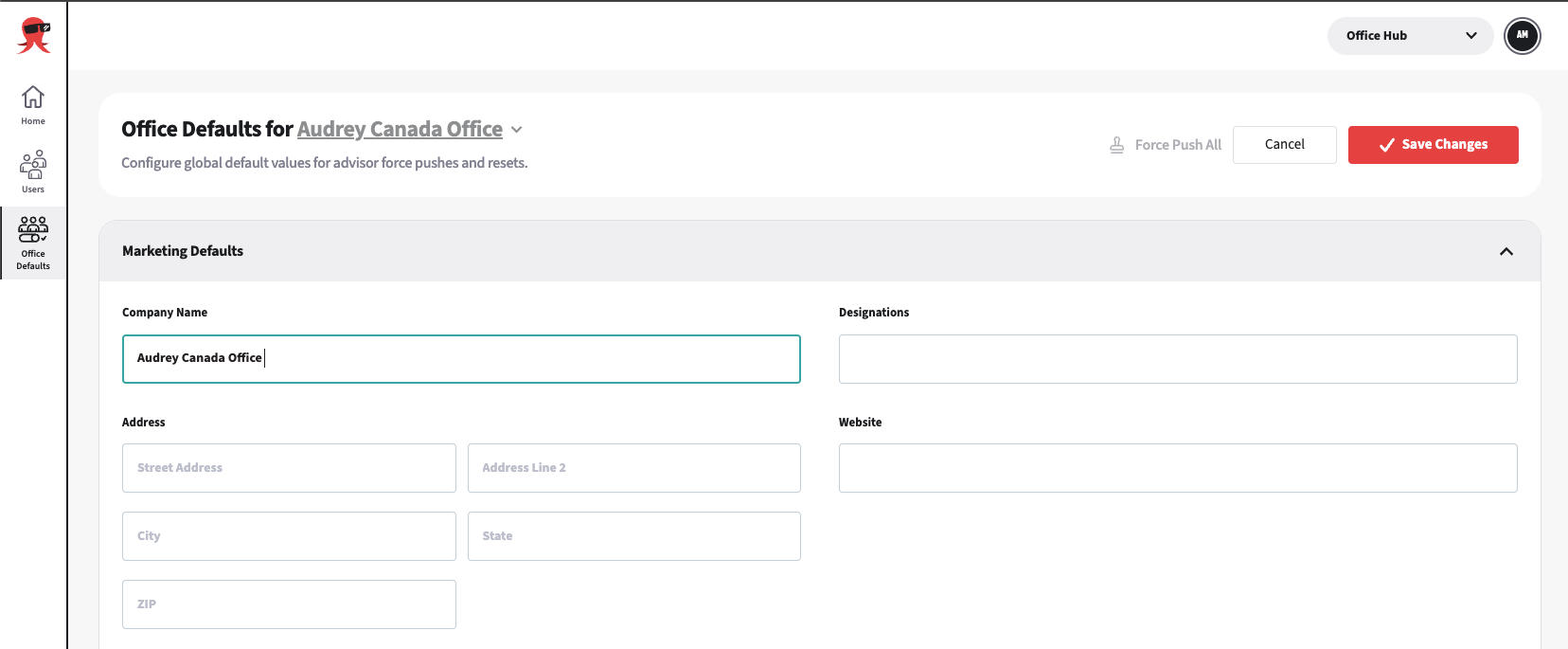 Saving changes the office values but does not update advisors automatically.
Push values to advisors
Force Push All
Select Force Push All to push selected office values to every advisor in the office.
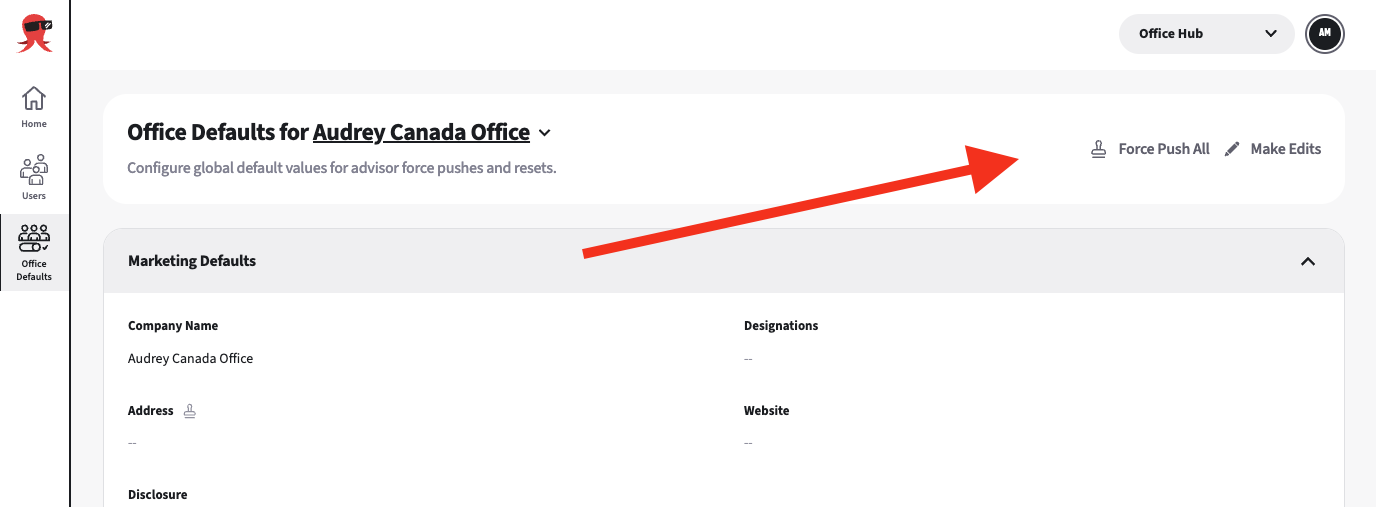
In the confirmation bar, select Force Push changes.

Select the fields you want to push to the office.
Force Push overwrites the advisors’ existing values with the selected office defaults.
Fields with an office value are selected automatically. Empty fields are not selected automatically because pushing an empty field clears the advisors’ existing values.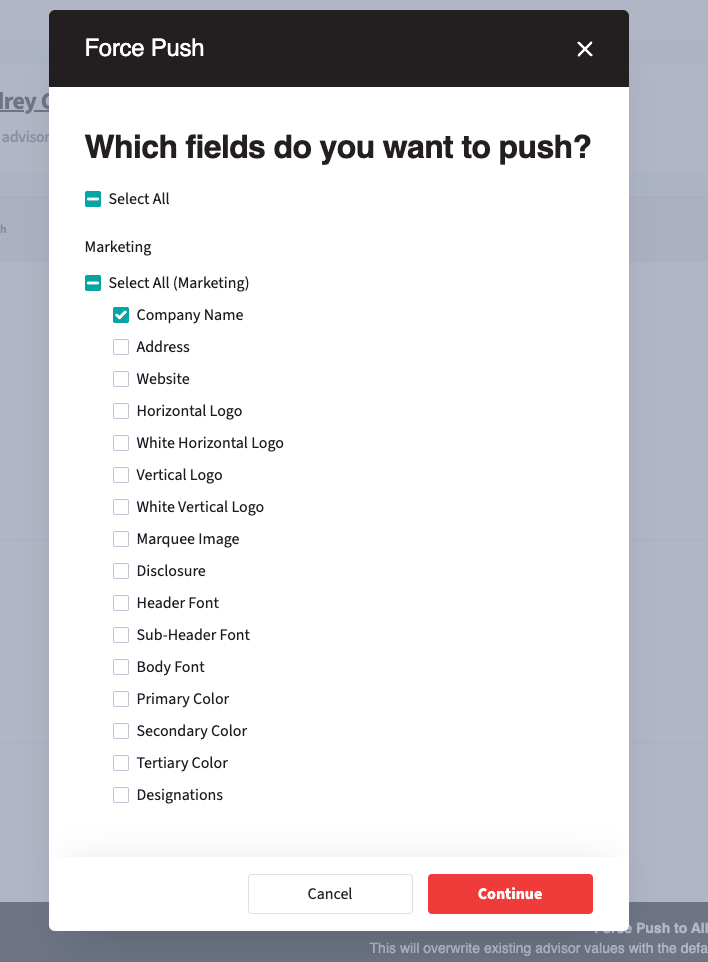
Select Continue.
Review your changes, then select Confirm & Force Push. The selected fields are updated for every advisor in the office.
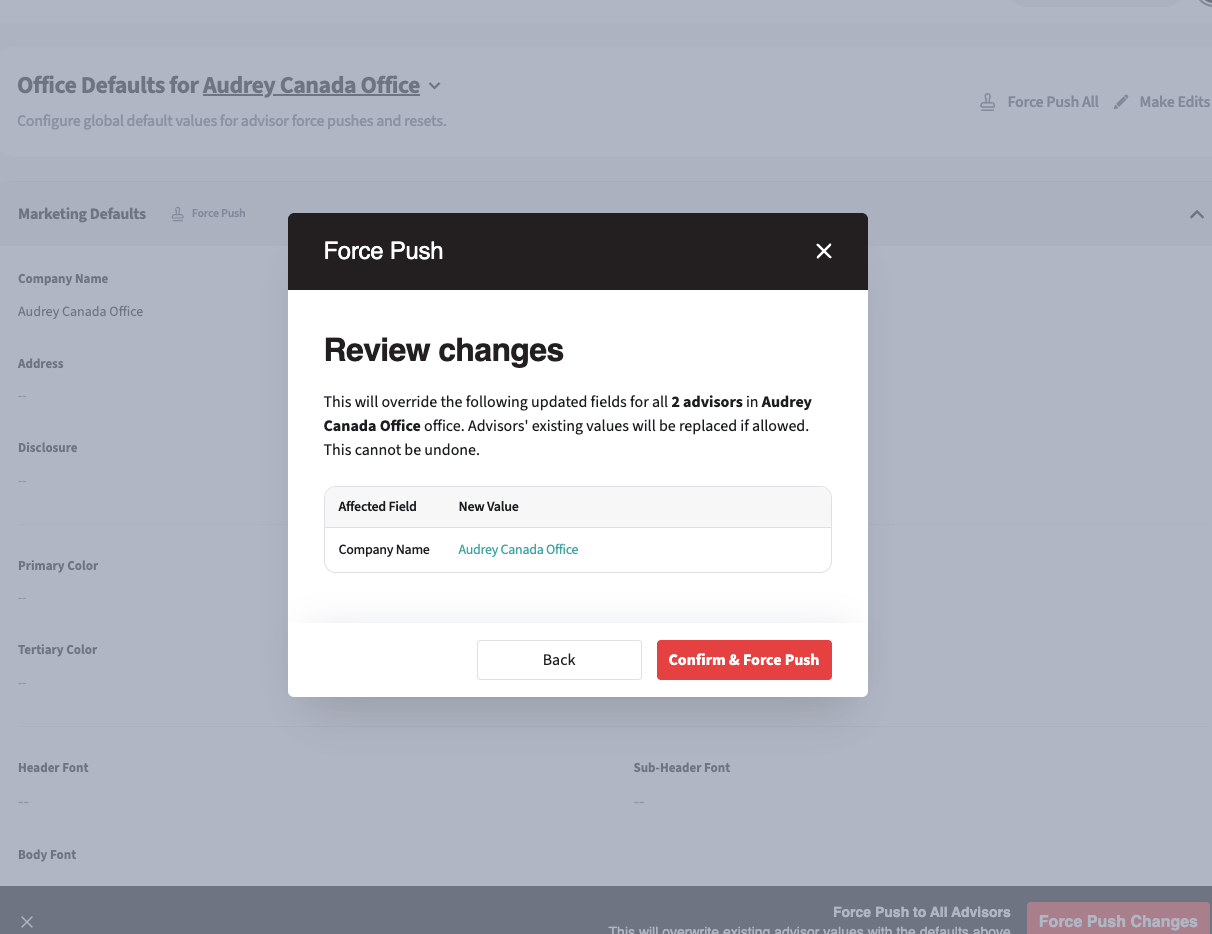
Force Push
Use the push control next to a field to push only that field to every advisor in the office.
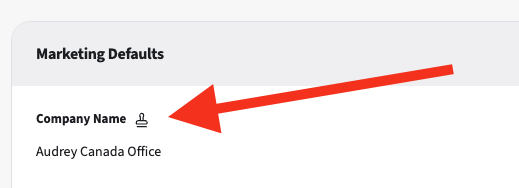
Follow the same confirmation steps as Force Push All. Review the selected field carefully before you confirm.