
As a Marketing Admin, you can create and share customized campaigns with the advisors you manage. This feature allows you to maintain consistent messaging across your office while still enabling personalization for each advisor.
When you share a campaign, each advisor receives their own draft version with their personal information automatically inserted.
Before You Start
- This feature is currently only available on certain enterprise versions of our platform. Please contact our support team for questions.
- This feature is not automatically enabled for all marketing admin users. Please contact your fleet admin or our support team if you need it enabled. There may be cost associated with this feature.
Key Steps
- Log in to your Marketing Admin account
- Navigate to Library
- Browse or search for the campaign template you want to use
- Click View template details
- Customize Your Campaign
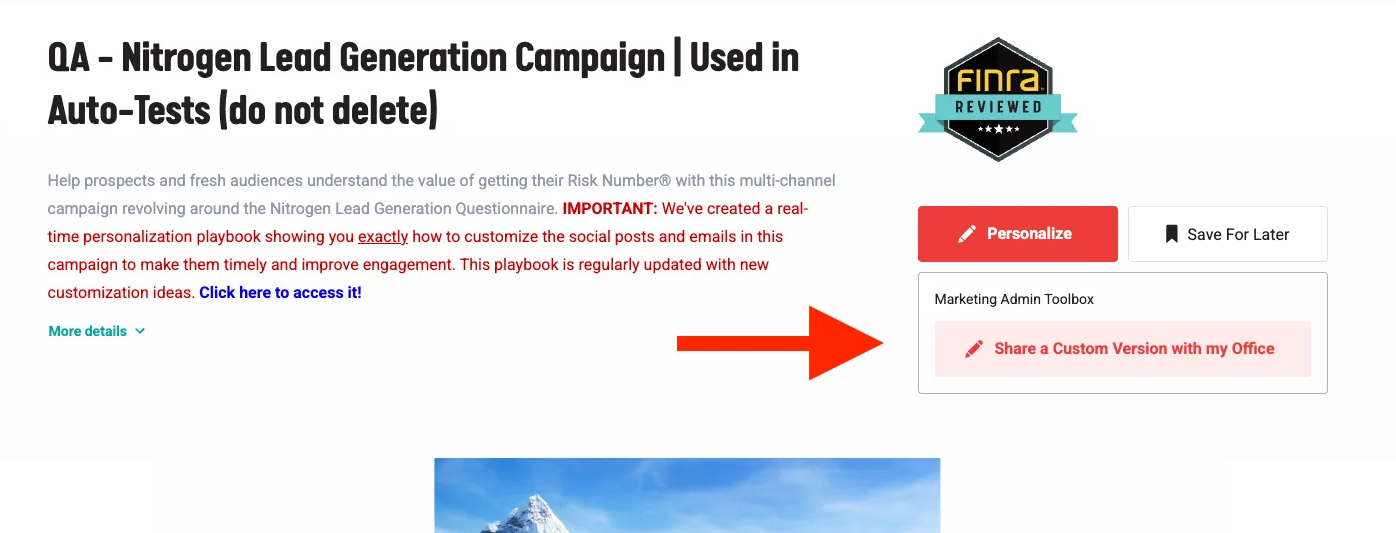
- Click Share a Custom Version with my Office
- Customize the campaign content, design, and structure as needed
- Preview your changes
- Click Share a Custom Version with my Office
- Share with Advisors
- Navigate to the Share Campaign page
- Select the "Skip sending to compliance" checkbox if needed.
- Note: Content that has not been approved by compliance will be submitted before launch.
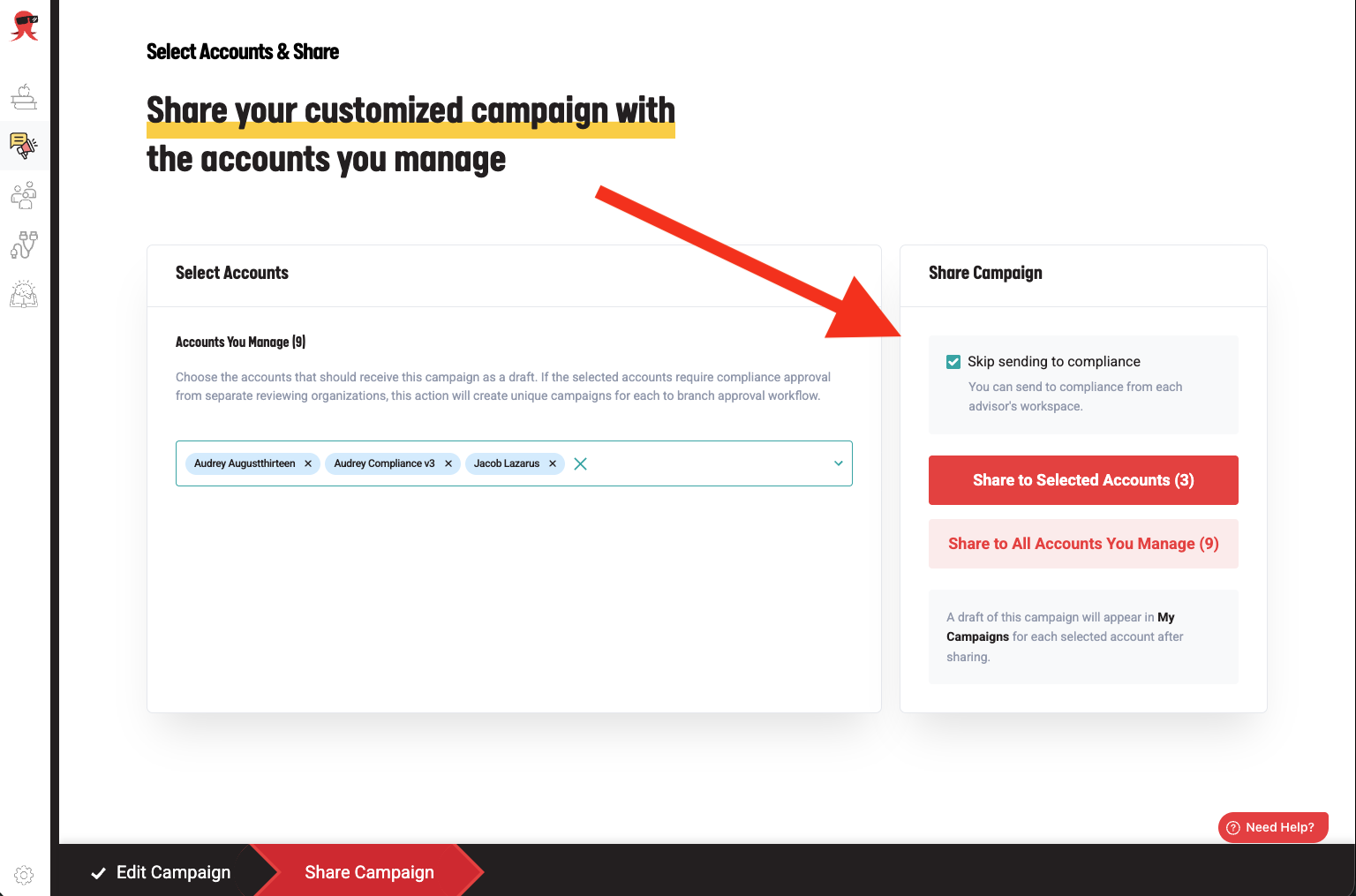
- Note: Content that has not been approved by compliance will be submitted before launch.
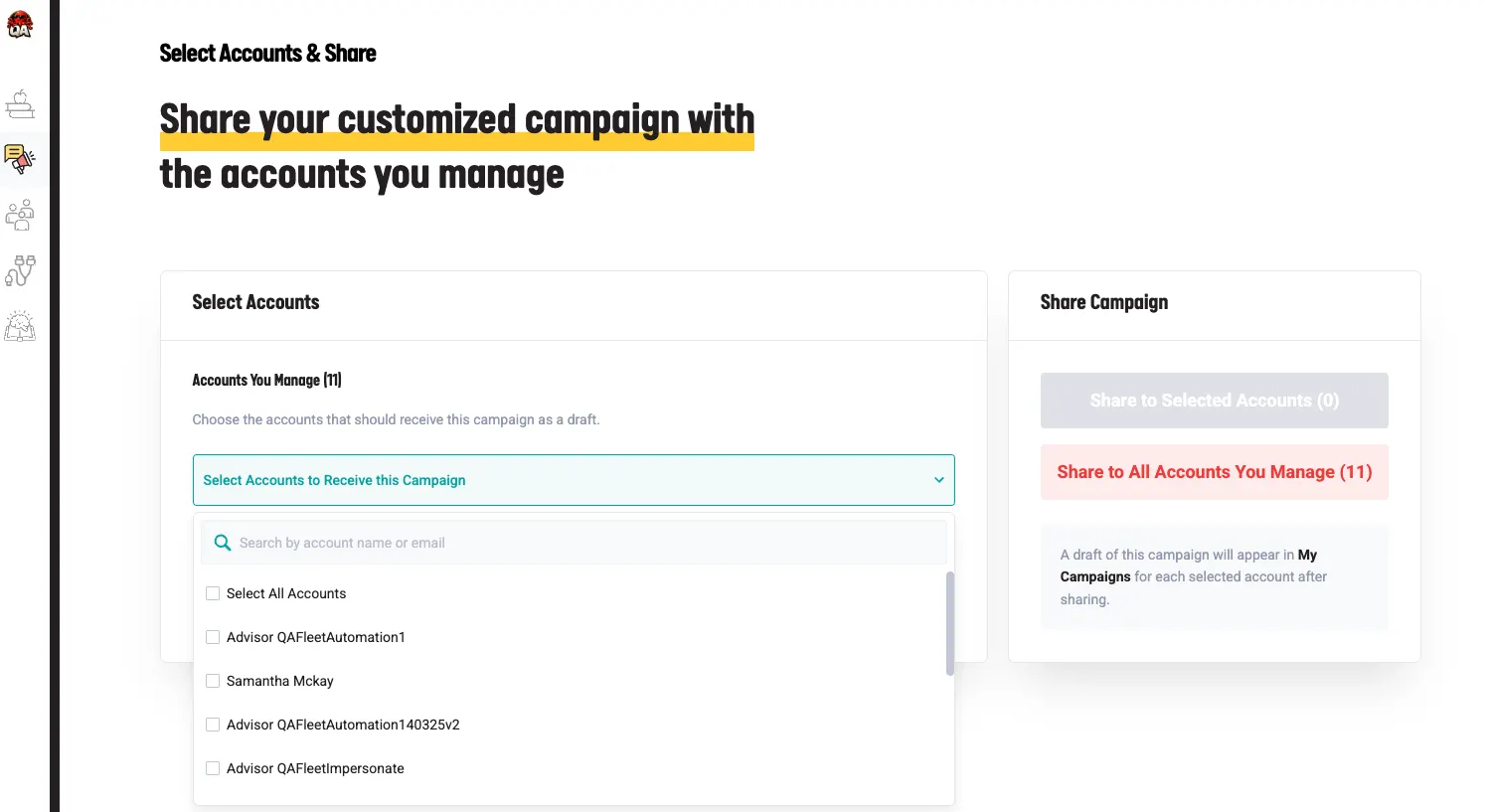
- Select the specific advisor accounts to share with, or choose All Accounts
- Click to share the campaign
What Happens Next
Once you share the campaign:
- The campaign appears in each advisor's dashboard as a Draft
- Advisors can review, make additional edits, and launch when ready
- Personalization codes are automatically replaced with each advisor's information
What Gets Personalized
When advisors receive the campaign, these elements are automatically personalized:
- Advisor name
- Contact information (email, phone, address)
- Branding (logos, colors, fonts)
- Social media links
- Bio and headshot
- Email signature
- Disclosure information
Important Notes
- Campaigns are not automatically launched. When you share a campaign, it appears as a draft. Advisors must review and launch it themselves.
- You must initiate this process from your own Marketing Admin dashboard. You cannot share campaigns while impersonating an advisor account.
- Each advisor's settings still apply after sharing,including:
- Integration connections
- Compliance workflows
- Personal preferences
Need More Help?
If you have questions about sharing campaigns or need assistance, please contact our support team.