
Mass Launch is a powerful tool that allows platform administrators to deliver coordinated, automated marketing campaigns to advisors with minimal effort on the advisor's part. This article outlines how administrators can manage Mass Launch Types and Templates, and how advisors can enable and use them.
For Administrators
What Is Mass Launch?
Mass Launch is managed in the Brain admin panel under:
- Mass Launch Types
- Mass Launch Templates
Mass Launch Types define the strategy (e.g., lead nurturing, client appreciation).
Mass Launch Templates are the actual campaigns scheduled under each type.
Each campaign is automatically personalized and scheduled to send to a contact group designated for that strategy.
*Mass Launch campaigns do not include social media posts to avoid triggering identical posts across many accounts simultaneously.
Step 1: Managing Mass Launch Types
1. Open the Mass Launch Types page.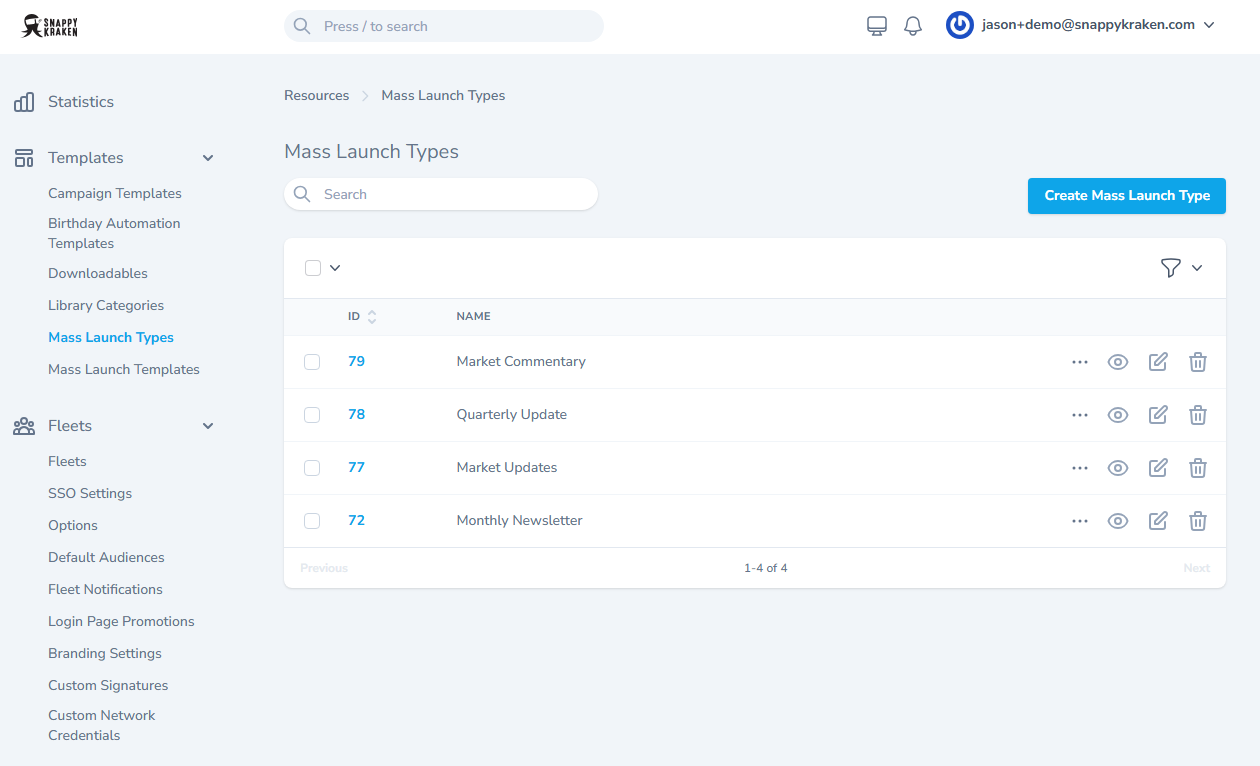
2. Review available Mass Launch Types. Choose types that align with your advisors’ demographics and strategies.
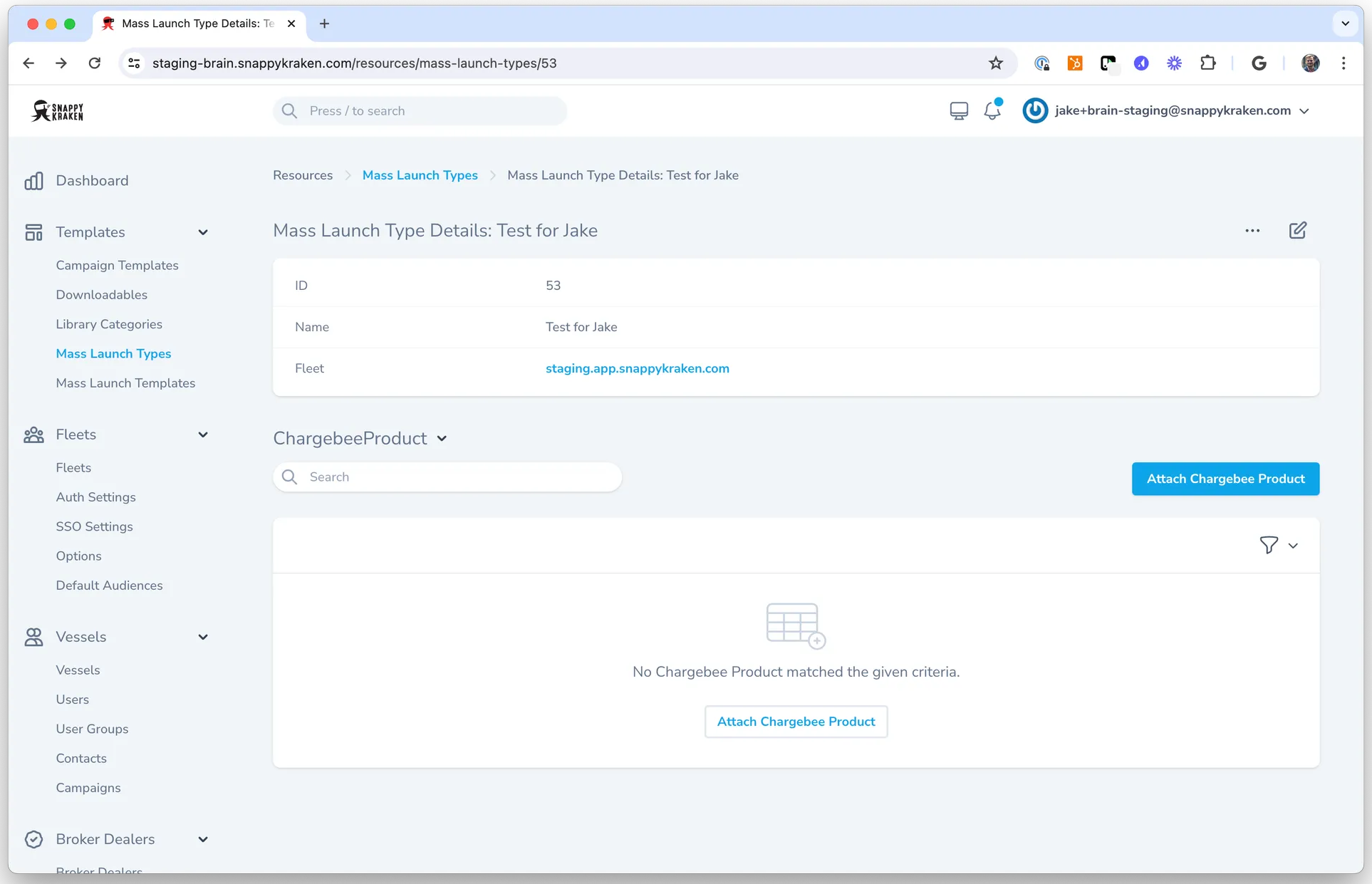
3. To create a new type:
- Go to your Fleet.
- Click Create Mass Launch Template.
- Select your platform using the Fleet selector.
- (Optional) Click Attach Chargebee Product to restrict the type to specific subscription tiers.
4. Discuss available Mass Launch Types with your advisors. Providing examples helps them understand the purpose and reach of each strategy.
Step 2: Managing Mass Launch Templates
1. Open the Mass Launch Templates page.
2. Click the … Actions button, then choose Create Mass Launch Template.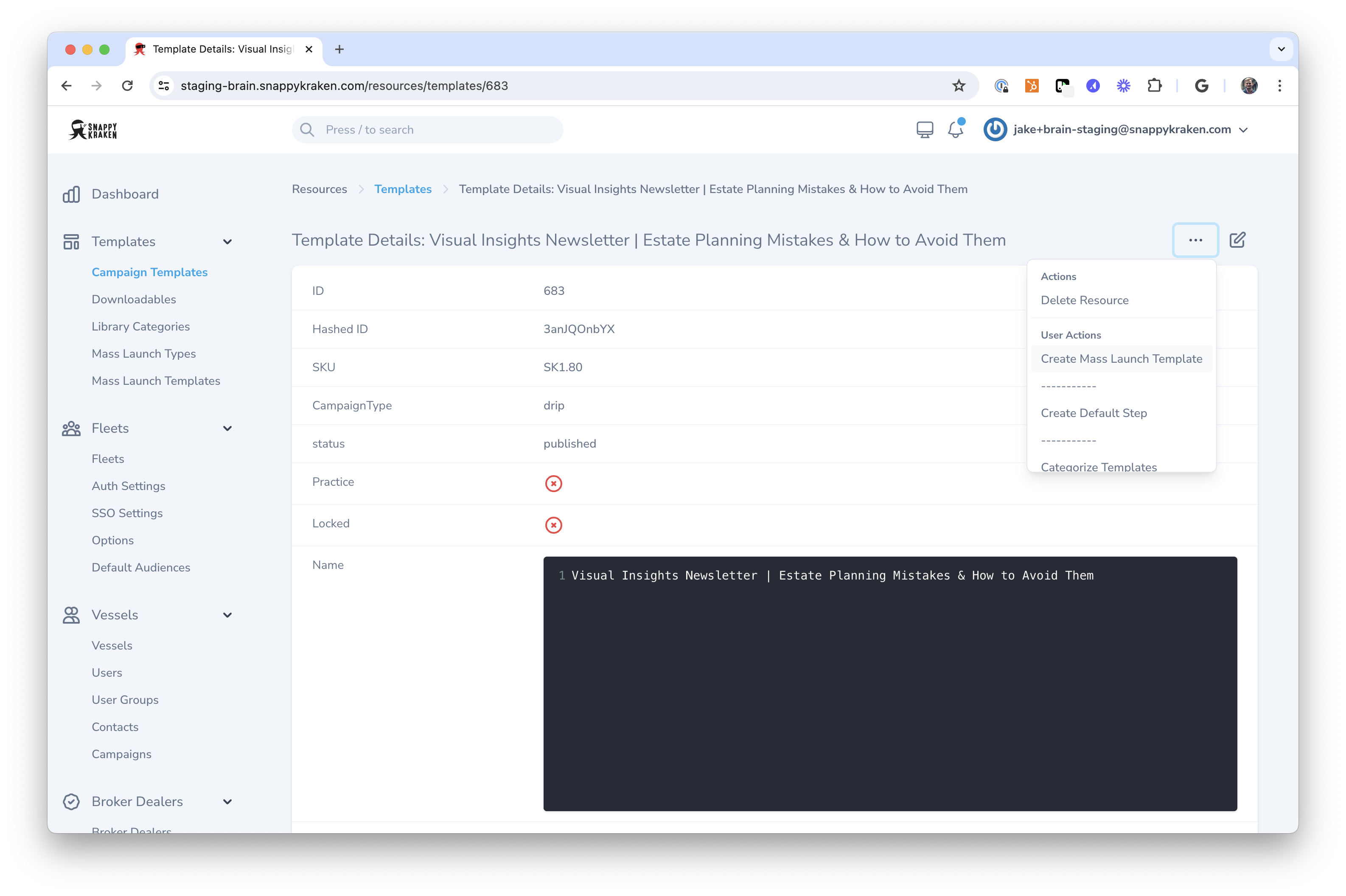
3. Assign a Mass Launch Type. If the desired type doesn’t exist, create it first.
4. Schedule the campaign. Click the … Actions button in the top right and select Mass Launch.
5. Set a launch date and time.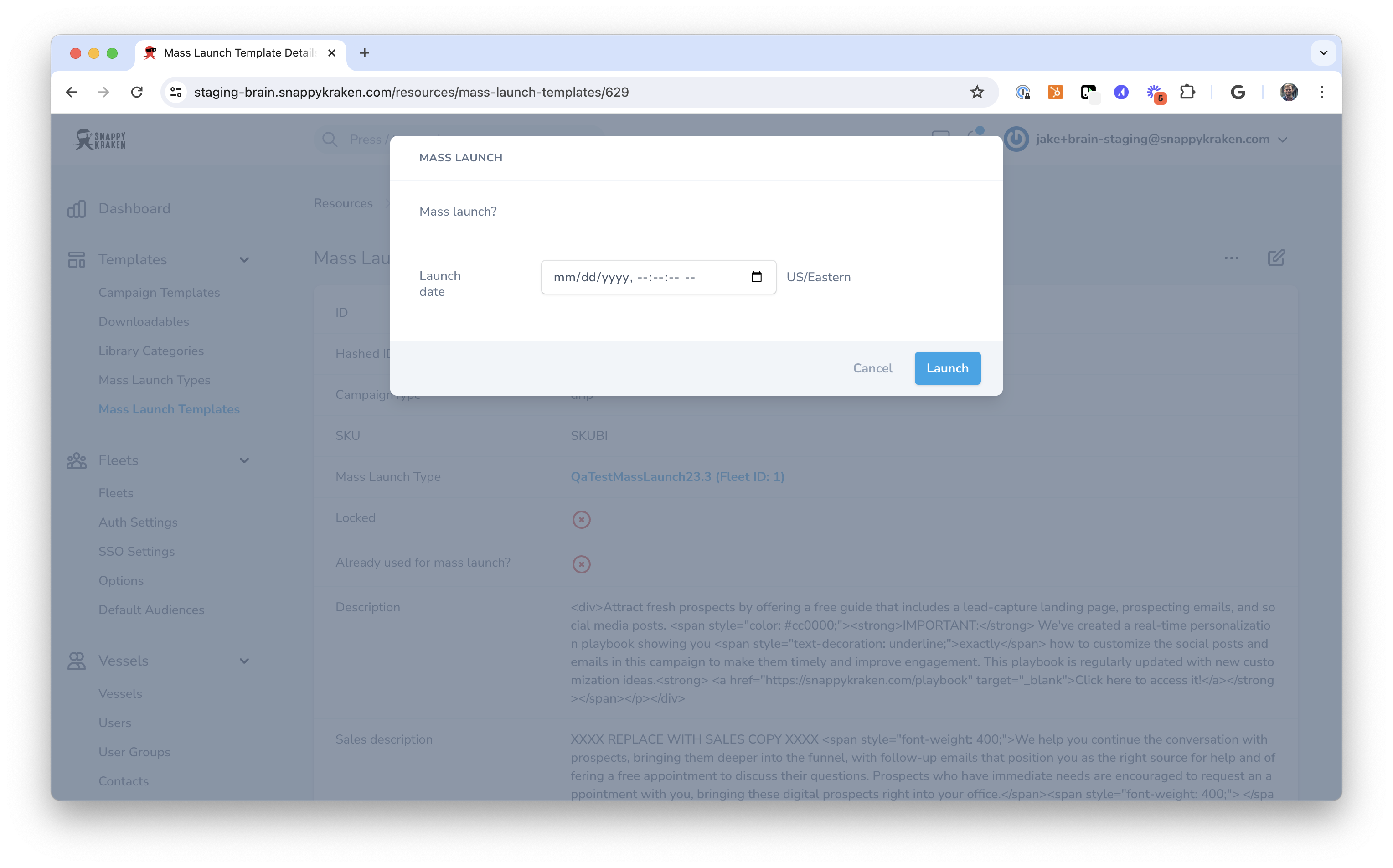
Tip: We recommend a 4-day grace period before launch so advisors have time to stop or edit campaigns.
- Advisors receive automated daily emails during this period.
- Campaigns are submitted to compliance automatically or only if changes are made, based on BD requirements.
For Advisors
What Is Mass Launch?
Mass Launch allows advisors to receive timely, personalized campaigns from you, the platform administrator, based on your chosen strategy types.
Advisors still have full control to:
- Stop a campaign
- Edit it
- Reschedule the launch
How Advisors Enable Mass Launch Types
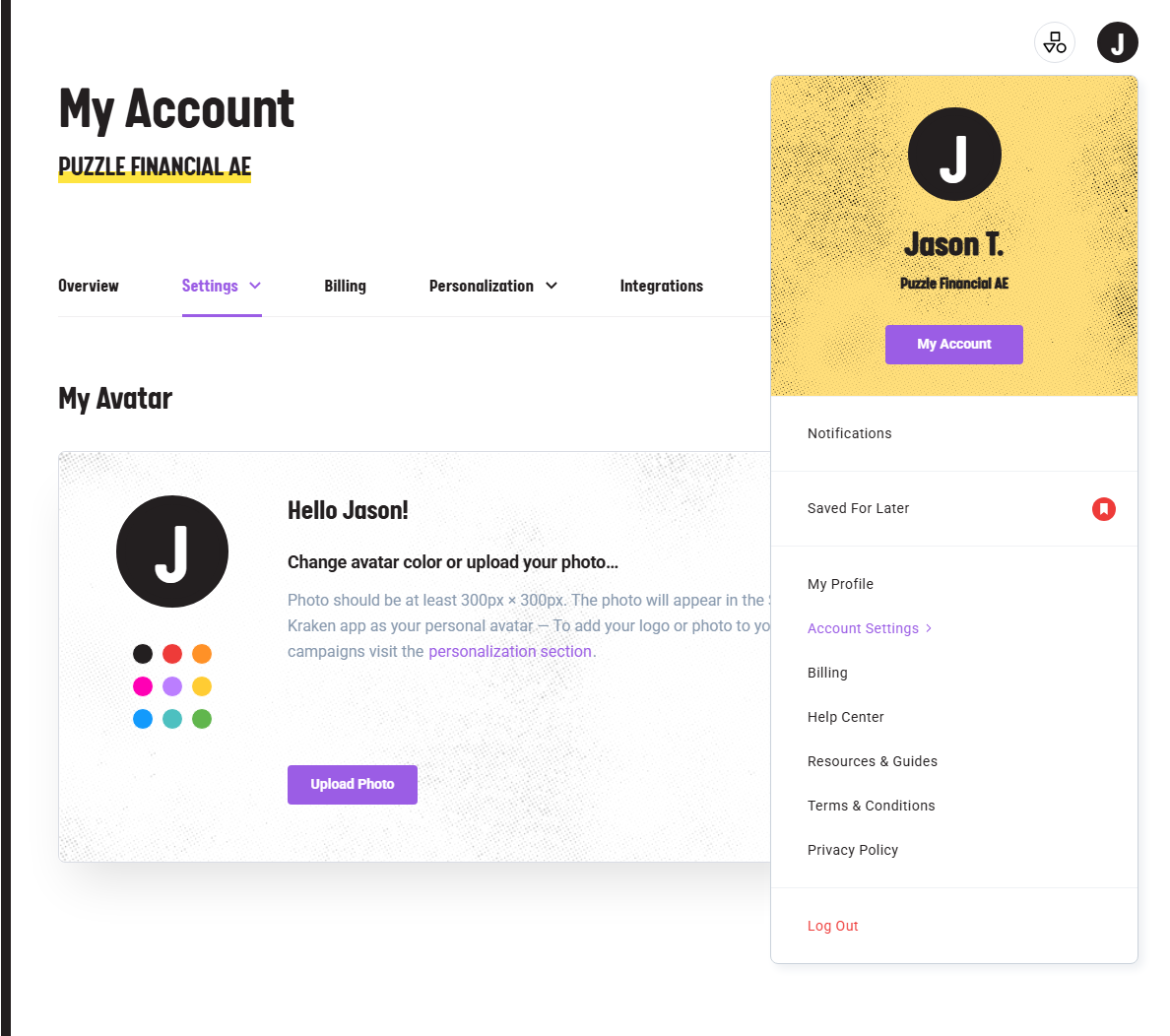
- Go to Campaigns → and then Account Settings by clicking the letter in the upper right. [Platform Link: https://snappykraken.app/]
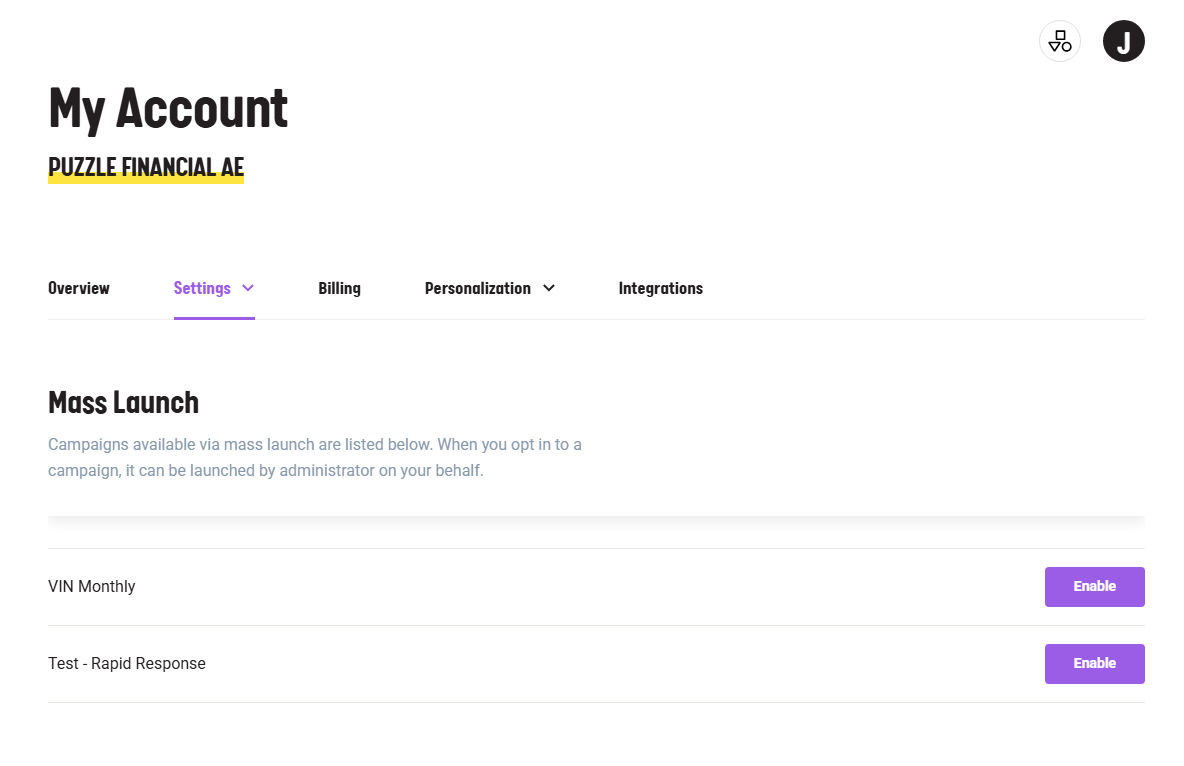
- Next, go to Settings → Mass Launch
- Click "Enable" next to the strategies you want. These will be updated regularly by your administrator.
- A contact group is automatically created for each enabled strategy. Add contacts to the groups that fit the goal.
What Happens Next?
- Admins schedule campaigns.
- Campaigns appear in your account automatically.
- Advisors will be notified via email before the scheduled send date.
Advisors can:
- Edit the campaign
- Stop the campaign
- Update the launch date
Campaigns will be auto-submitted to compliance or only submitted if you make edits, depending on BD requirements.
On the scheduled date, your campaign goes out to the contacts in the linked group—no additional action needed.
Summary
Mass Launch helps scale your marketing strategy with minimal effort. Whether you're managing a platform or building your business as an advisor, Mass Launch ensures timely, relevant, and automated outreach.