
The top section of the Enterprise Hub dashboard gives you a quick overview of key details related to your fleet.
What You'll See
- Fleet URL – The website URL associated with your fleet.
- Fleet Name – The name of your organization as listed in your account settings.

- Logo – Your fleet’s icon, pulled from the branding settings in your account.
- Advisors – The total number of advisors in your fleet with an active subscription.
- Content Library – The number of published campaigns available in your fleet’s template library.
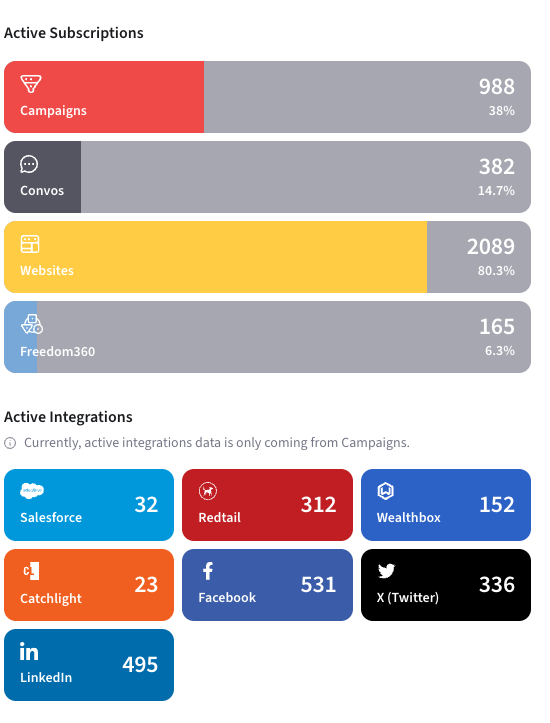
This section gives you a quick snapshot of your fleet’s setup and advisor engagement.
If you have questions about the data shown here or need help updating your fleet settings, feel free to contact us at enterprisehelp@snappykraken.com.